Process Tracking
Process Tracking monitors application / process usage on workstations and servers, which is useful for troubleshooting as well as later analysis, e.g. in high-security environments.
Download Now Request a demo
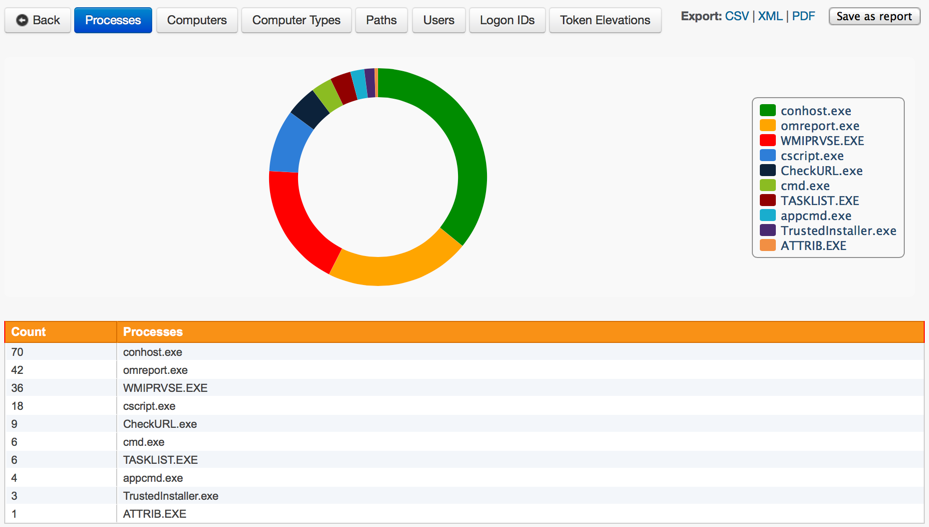
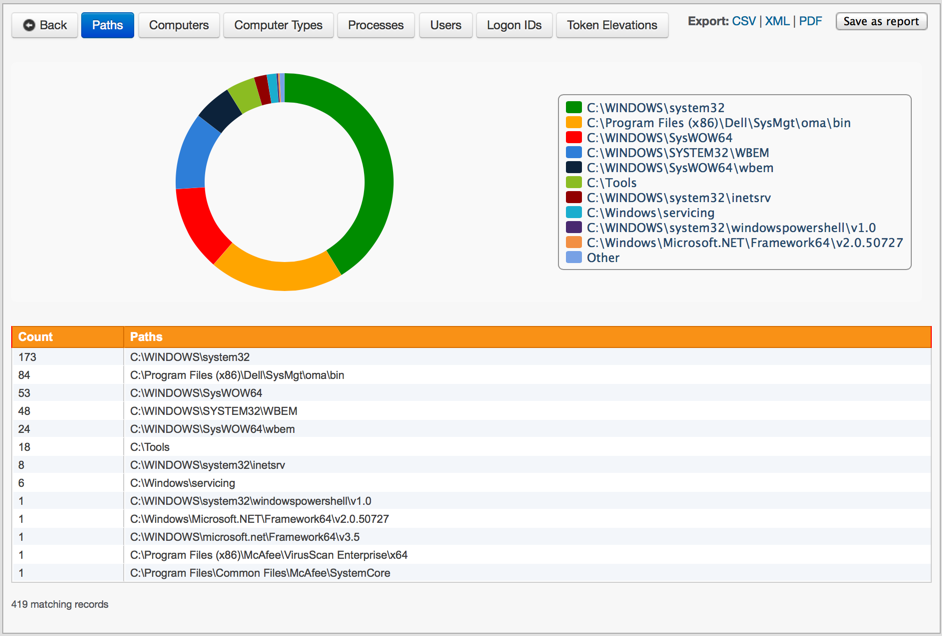

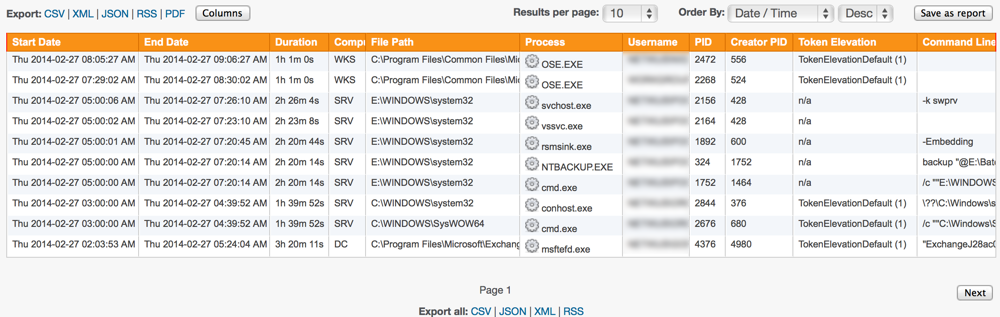
Process Tracking monitors application / process usage on workstations and servers, which is useful for troubleshooting as well as later analysis, e.g. in high-security environments. The collected information can be queried through the web reports to obtain process tracking data, history and statistics.
Process Tracking collects the following information about processes:
- Process name, including launch folder
- Start/End date/time
- Duration
- Username
- Logon ID
- PID, creator PID
- Username
- UAC level of process
- Digital Signature Status
- Command Line (if enabled)
- SHA-256 checksum
The Process Tracking web-based reports make the following information available:
- Which processes (applications) are being used on your network
- Which processes have been executed on your domain controllers
- Process history on a per-user or per-computer basis
- Which processes are running elevated, especially on workstations?
- Currently running applications on a per-user or per-computer basis
- How long a given process was active
- Which users or computers have been running a particular application
- plus more customizable queries and reports
Sysmon Integration
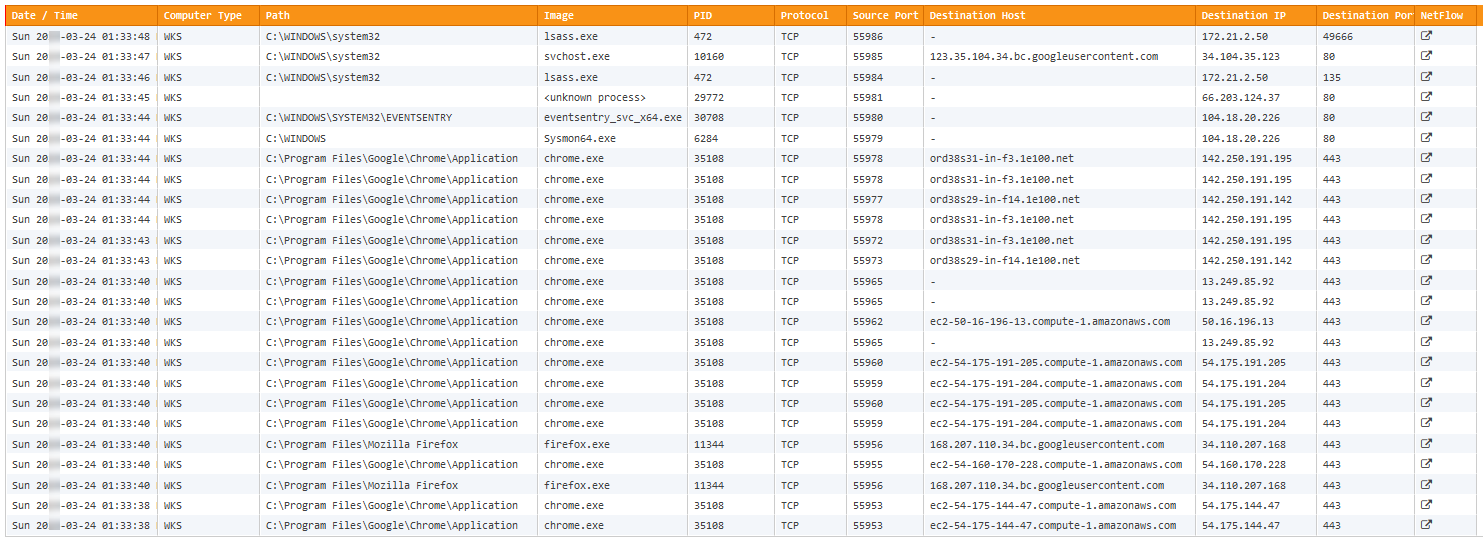
If the free Sysmon driver is installed on the monitored endpoints, then EventSentry can be integrated with Sysmon to provide additional process activity, showing network connections of processes:
- Protocol (UDP/TCP)
- Source IP
- Source Hostname
- Source Port
- Destination IP
- Destination Hostname
- Destination Port
- Link to NetFlow activity (if available)
 Event Log Monitoring
 Reporting
 Health Monitoring
 Compliance
 ADMonitor
 Management
 Log File Monitoring
 Network Monitoring
 Environment
 Notifications
 Log Consolidation
 Full Feature List