How can I be alerted if Microsoft Windows Firewall policies change and/or Firewall is Disabled?
Windows Firewall policy changes, like new program exceptions, enabling/disabling/deleting policies can be monitored and detected with EventSentry, along to detection when firewall is disabled.
Enabling Policies Changes Audit
In order to monitor Microsoft Windows Firewall policy changes, the subcategory MPSSVC rule-level Policy Change under the main category Policy Change will need to be audited. This can be accomplished via group policy (recommended) or by running the following command as Administrator:
auditpol.exe /set /category:"Policy Change" /subcategory:"MPSSVC rule-level Policy Change" /success:enable /failure:enableEvents IDs
With auditing enabled, the events below will get logged to the security event log based on the changes made:
- 4946 Policy is Added/Created
- 4947 Policy is Modified/Enabled/Disabled
- 4948 Policy is Deleted
- 4950 Windows Firewall setting was changed
Filters Creation
An include filter must be created for each of the above event IDs to ensure that an email alert gets generated for each of the scenarios (Added/Created, Modified/Enabled/Disabled and Deleted along with Microsoft Firewall being disabled).
Policy Changes
Right-click "Event Logs" and click "Add Package" and label this new package, "Firewall Changes."
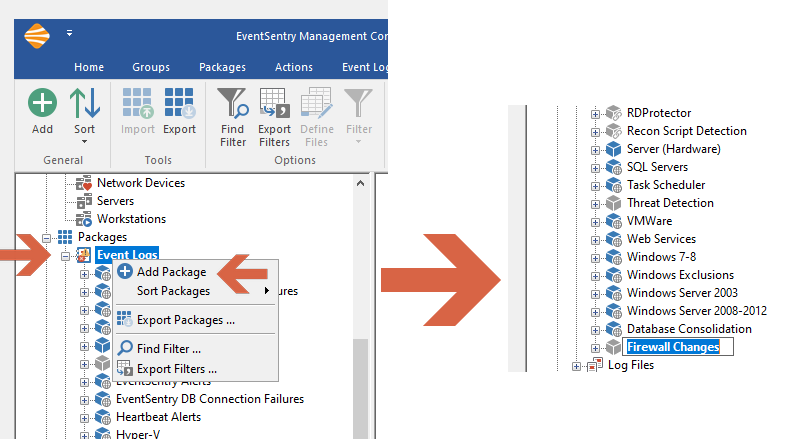
Creating a new package
Right-click on the newly created package and select "Add New Filter" and label this new filter, "Firewall Policy Deleted."
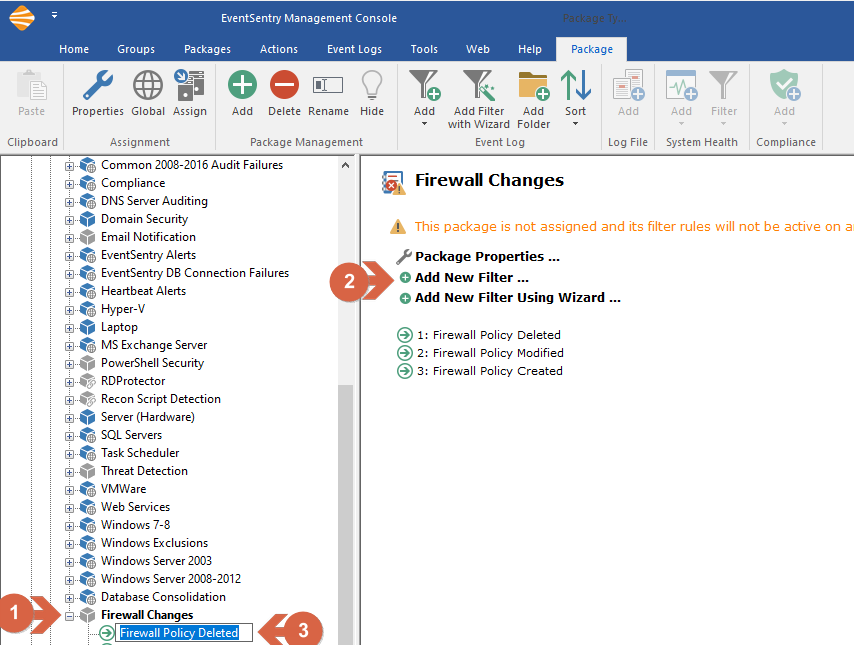
Creating a new filter
Enter the following details for the newly created filter:
1) Actions: Default Email (to get notified via email when this event takes place)
2) Log: Security
3) Event Severity: Audit Success
4) Event Source: Microsoft-Windows-Security-Auditing
5) Category: MPSSVC Rule-Level Policy Change
6) Event ID: 4948.
Repeat these steps to create two more filters for Event ID 4947 and 4946, note that filters can be copied and pasted in the management console.

Filter Content for ID 4948
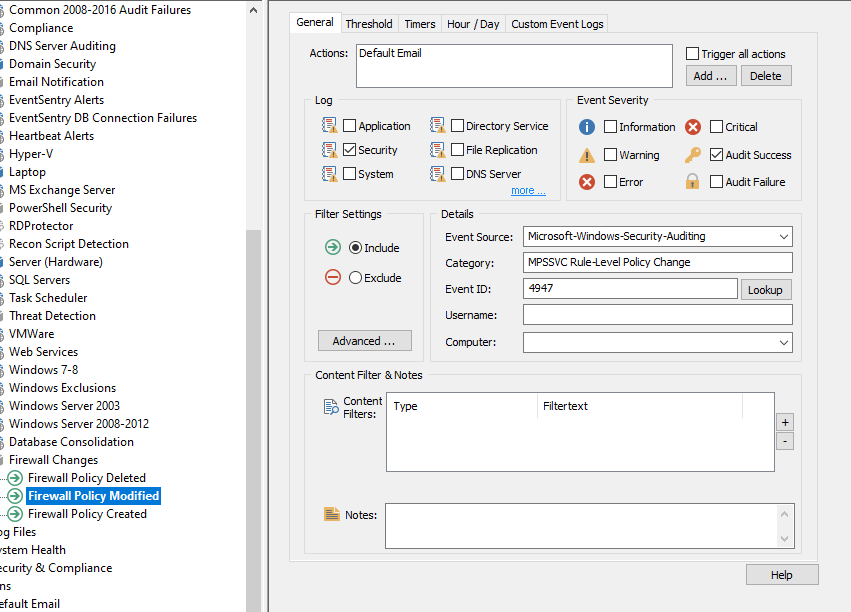
Filter Content for ID 4947
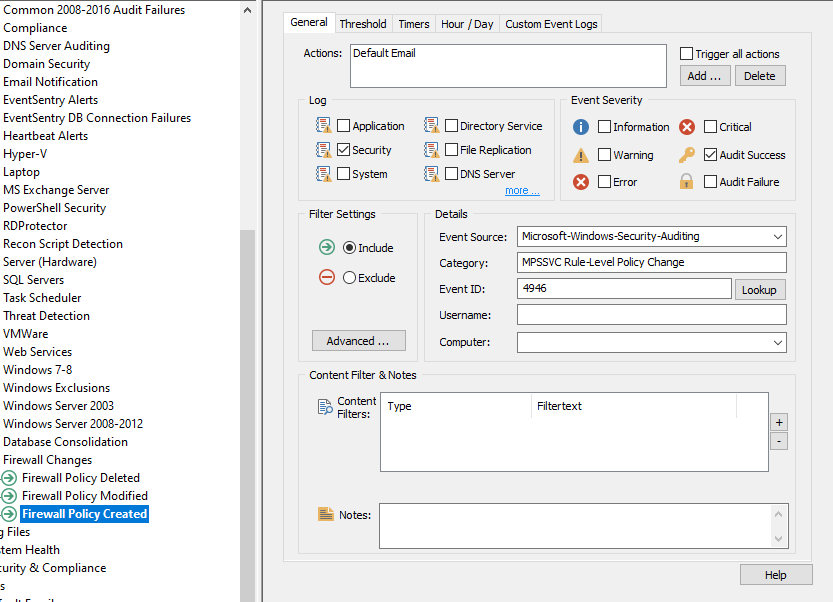
Filter Content for ID 4946
Detecting when the Windows Firewall is disabled
Right-click on the newly created package "Firewall Changes" and select "Add New Filter" and label this new filter, "Firewall Disabled."
Enter the following details for the newly created filter:
1) Actions: Default Email (to get notified via email when this event takes place)
2) Log: Security
3) Event Severity: Audit Success
4) Event Source: Microsoft-Windows-Security-Auditing
5) Category: MPSSVC Rule-Level Policy Change
6) Event ID: 4950.
7) Under group "Content Filter & Notes" click on "+"and select Insertion string match", Insertion String: 3 and matches. In content Filter type "No"
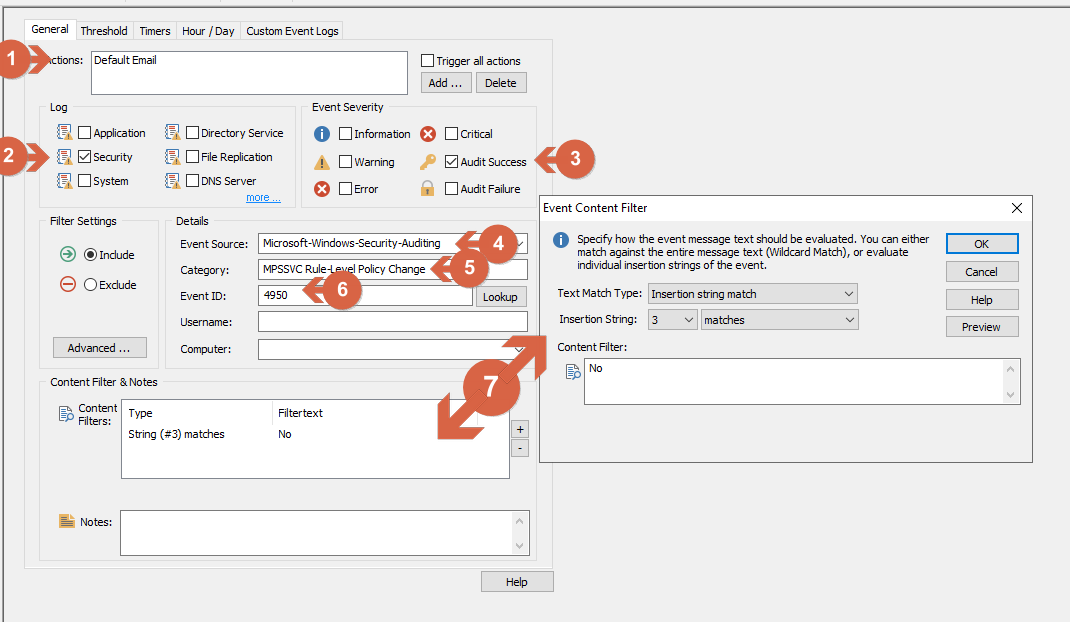
Filter Content for ID 4950
Assigning package to a Host or Group
Don't forget to assign the package to a host or group. From the left tree, select a group or a host, from the right menu "Assign Packages...," then choose the "Firewall Changes" package. Click Home/Save to save the configuration.
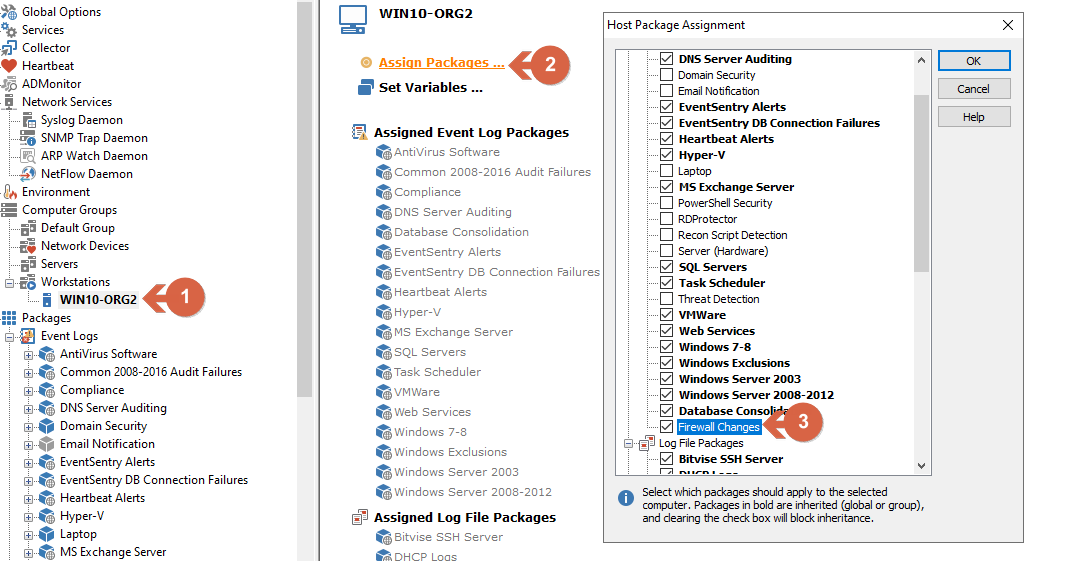
Assigning package to a host
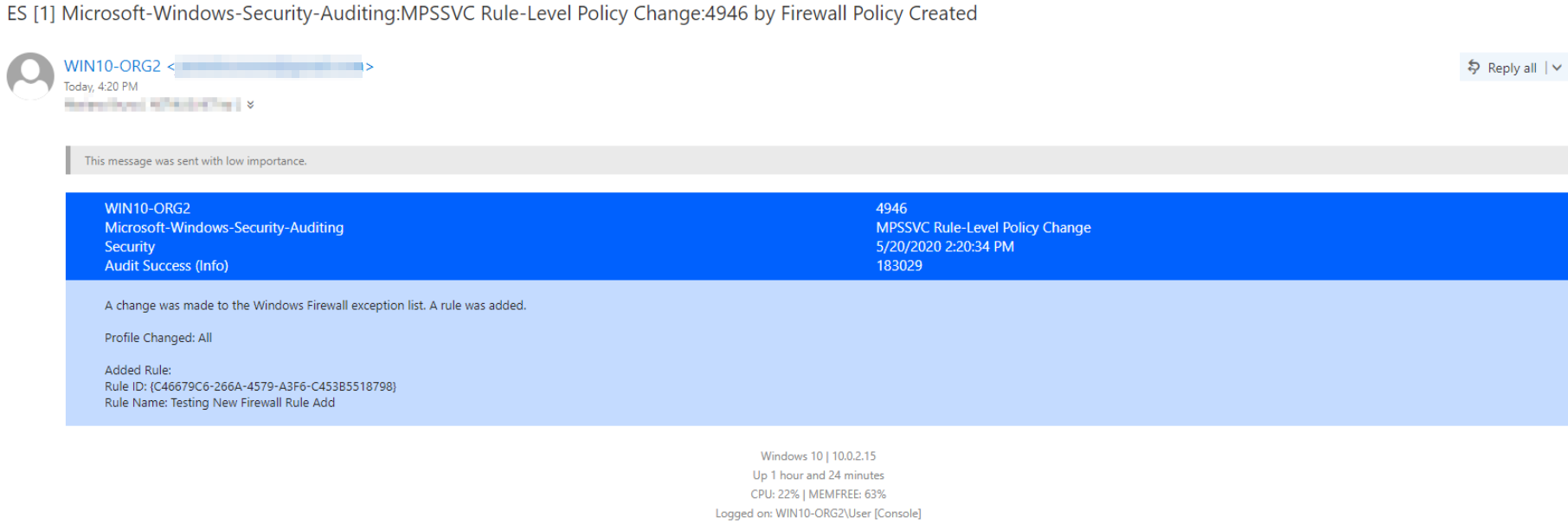
Example Email


