ADMonitor
Download Now Request a demo
Active Directory Monitoring with ADMonitor
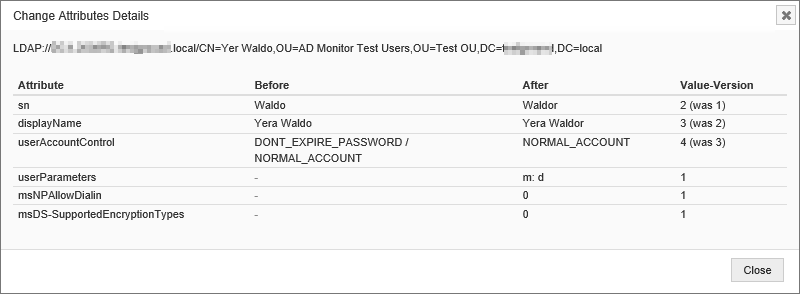
EventSentry can monitor all changes to Active Directory and Group Policy objects down to the attribute level with ADMonitor, an optional Add-On.
Since Active Directory is a central database that stores all users, groups and computer objects of an organization, tracking all activity is crucial in order to maintain a secure network. Idle users and undetected changes can seriously compromise the security of a Windows domain.
Monitoring Active Directory changes using the security event log however is difficult, inefficient and cumbersome. ADMonitor solves this problem by monitoring Active Directory directly - with little reliance on the security event log.
- Show all object changes down to the attribute level
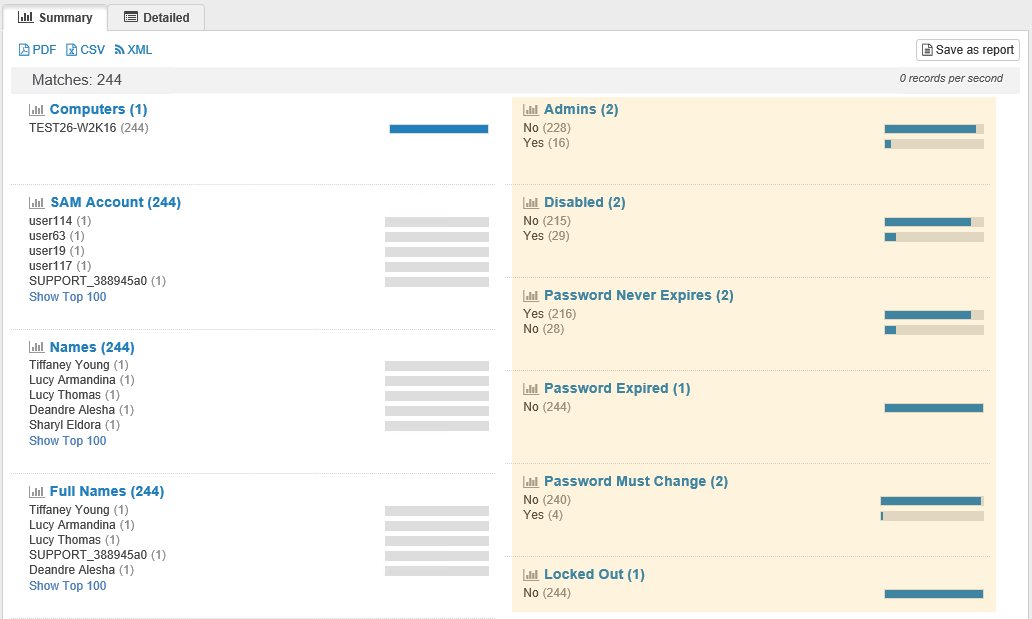
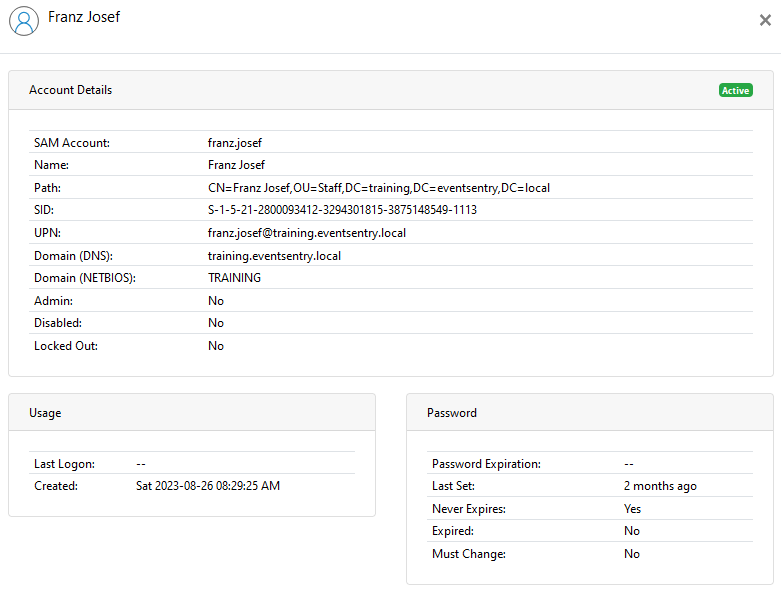
- User, group & computer inventory that Identifies idle & disabled accounts, stagnant passwords and more
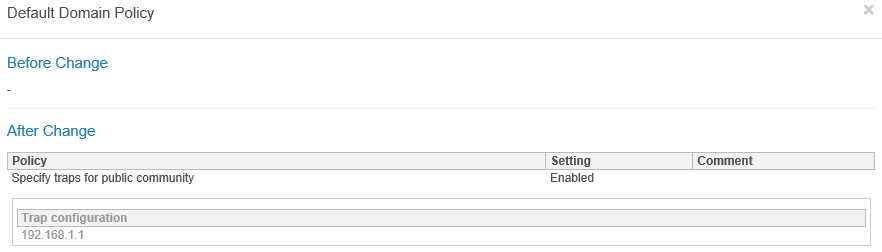
- Group Policy changes with before and after value
- Identify users with compromised passwords
- Identify users sharing the same password(s)
- Extensive reporting and alerts
- Password Expiration Reminder Emails
ADMonitor completely integrates with EventSentry and is usually setup in less than 2 minutes.
EventSentry ADMonitor Demo
Built-In Functionality vs ADMonitor
| Feature | EventSentry Built-In | EventSentry ADMonitor |
|---|---|---|
| Detect User & Group Changes | Yes | Yes |
| Detect Any Attribute Change | No | Yes |
| Before & After Values | No | Yes |
| User, Group & Computer Inventory | No | Yes |
| Requires Detailed Auditing | Yes | No |
| Monitor Group Policy Changes | No | Yes |
| Identify Problematic AD User Accounts | No | Yes |
| Detect Local (Non-AD) User & Group Changes | Yes | No |
| Password Expiration Reminder Emails | No | Yes |
| Licensed Separately | No | Yes |
| Identify Compromised Passwords | No | Yes |
| Identify Duplicate Passwords | No | Yes |
Licensing
ADMonitor is licensed on a per-user basis, where every active/enabled user object in Active Directory requires a user license - including user accounts used for services. Disabled user accounts, groups etc. do not require a license. It is not possible to only monitor a subset of users of a domain, the ADMonitor license has to cover all active/enabled user objects. Some built-in user accounts (Administrator, Guest, Exchange Server accounts) do not require a license.
To determine how many active user objects need to be licensed, either install an evaluation version of ADMonitor and view the count in the License Management dialog of the management console, or run the following PowerShell script on a domain controller:
(Get-AdUser -Filter * | Where {$_.Enabled -eq "True"}).Count
Blog Post
https://www.eventsentry.com/blog/2019/03/eventsentry-v4-0-introducing-admonitor.html
Review
https://4sysops.com/archives/eventsentry-4-0-siem-with-active-directory-monitoring/
 Event Log Monitoring
 Reporting
 Health Monitoring
 Process Monitoring
 Compliance
 ADMonitor
 Management
 Log File Monitoring
 Network Monitoring
 Environment
 Notifications
 Log Consolidation
 Full Feature List